
by Admin on December, 2017
MOVEit Transfer (formerly MOVEit DMZ) has traditionally been installed in the demilitarised zone of the network, relying on the AES256 encrypted file system to protect the data at rest in the application. Whilst this suits a number of organisations, there are many security officers who are unhappy with the idea and prefer to keep their data internal to the network.
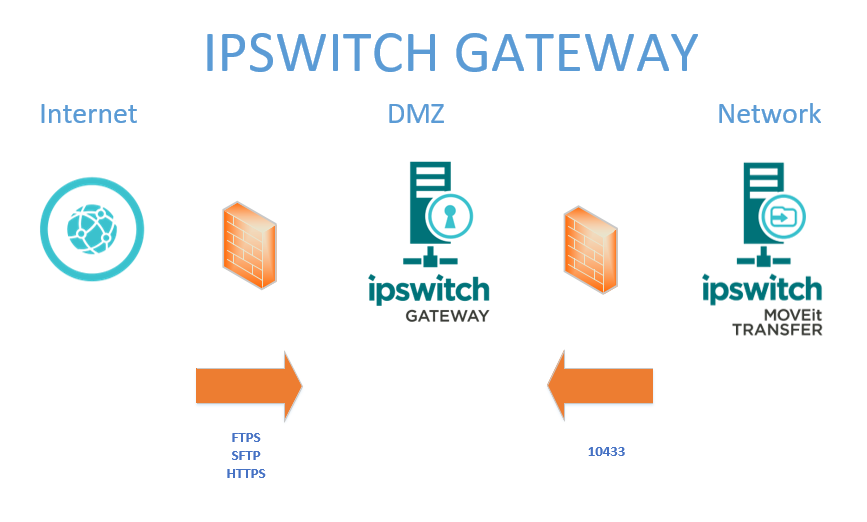
The Ipswitch Gateway allows this by creating a reverse proxy in the DMZ for the MOVEit Transfer server. The great thing about this is that you no longer need to open any ports from the internet into your MOVEit Transfer server. The only port requirements are the standard FTPS/SFTP/HTTPS ports from the internet into the Gateway server. No ports are opened from the Gateway server to anywhere else. Instead, a VPN tunnel is opened from the Transfer server to the Gateway server as in the diagram below.
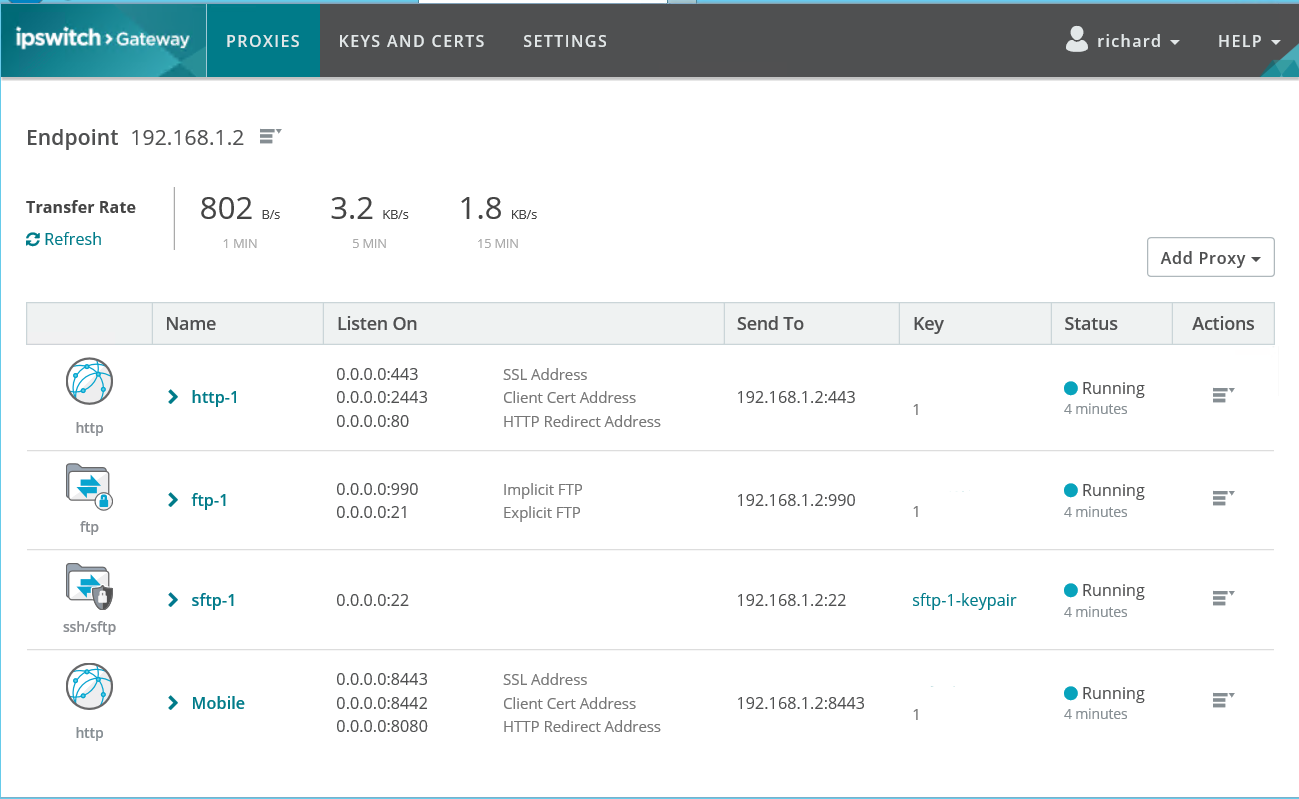
The Gateway comes with a simple-to-use interface that allows you to configure the incoming protocols and redirect them if required (for example, http can be redirected to https).
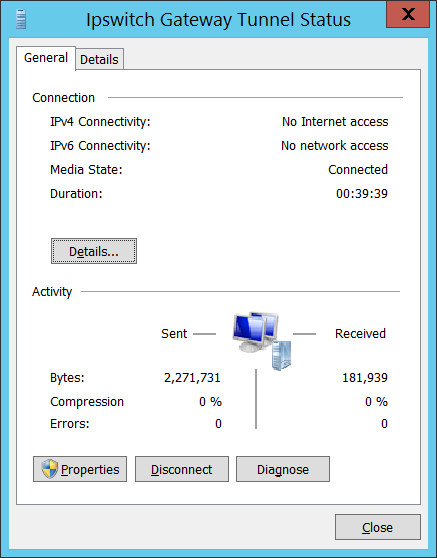
On the Transfer server, you can check the status of the VPN tunnel via network connections:
Early versions of the Ipswitch Gateway had some issues. For example inbound traffic assumed the IP address of the VPN tunnel, rather than the originating client. This has been fixed in the latest version and the source IP shows correctly.
Please note that you need one Gateway for each Transfer server – in a load-balanced environment the load balancer is placed between the Gateway and the internet. Traffic from inside the network can of course continue to be directed straight to the Transfer server (or internal load balancer) without needing to go via the Gateway.
Finally, note that the Ipswitch Gateway provides reverse proxy services for MOVEit Transfer only – it does not (currently) act as a forward proxy for MOVEit Automation.