by Admin on September, 2016
One component of the MOVEit DMZ suite which is often overlooked is the MOVEit Sync tool. MOVEit Sync is installed as part of the MOVEit Outlook plugin and uses the MOVEit Connector in the same way as the plugin to upload files into the MOVEit transfer system.
The MOVEit Sync tool allows you to synchronise one folder on your computer with one folder on the MOVEit DMZ system; subfolders are included. The configuration for the synchronisation is performed by right clicking the MOVEit Connector tray icon and selecting “Configuration”.
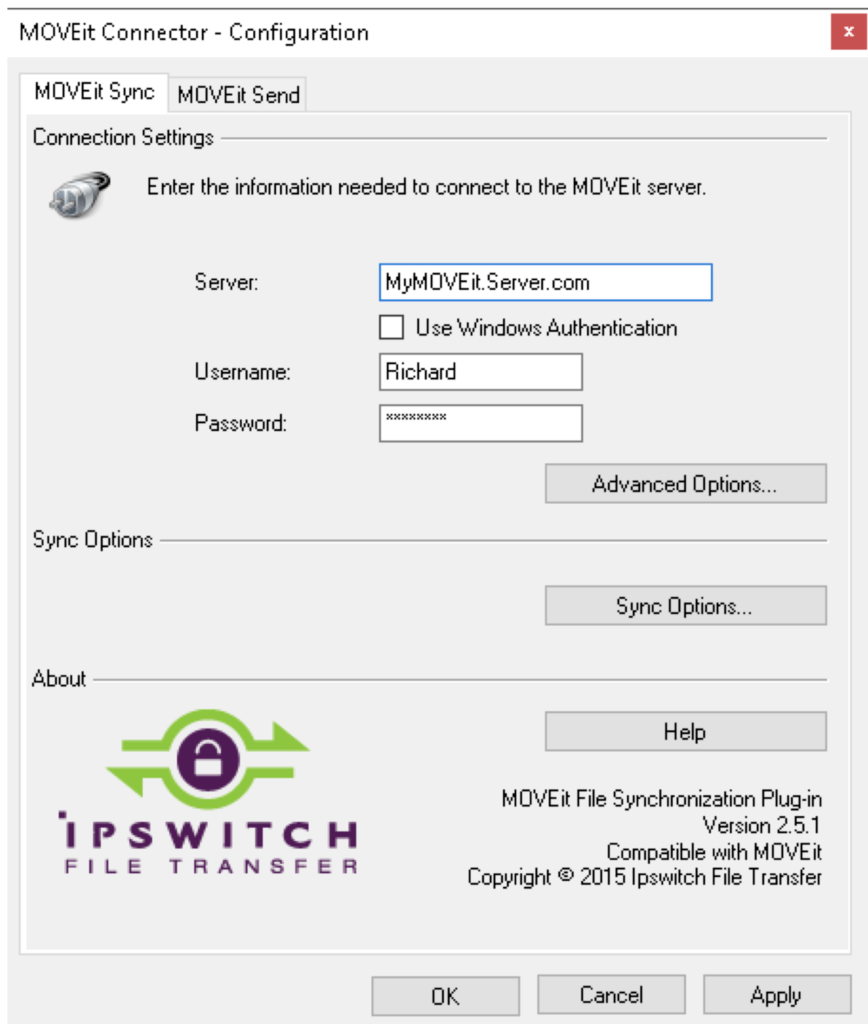
Aside from the obvious connection and authentication configuration settings that you can apply on the configuration screen, the “Sync Options” section, in the middle of the MOVEit Connector screen, allows you to select the folders that you wish to synchronise.
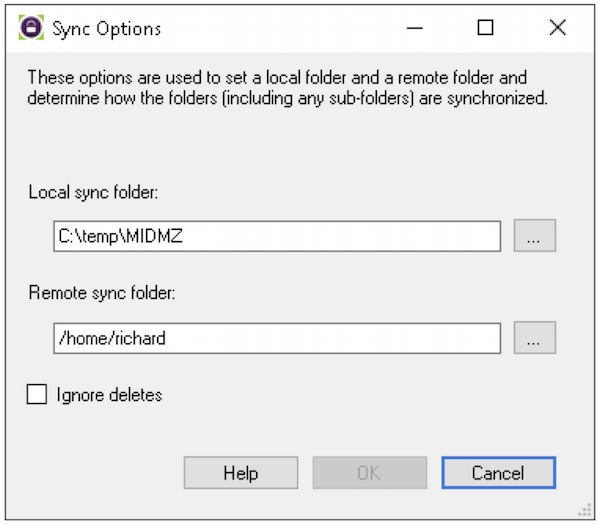
Simply choose the folders that you wish to synchronise and decide whether you wish to synchronise file deletions as well. Note that on the local machine, the currently logged on user must have access to the folder; on the remote MOVEit server, the account configured on the MOVEit Connector must have access.
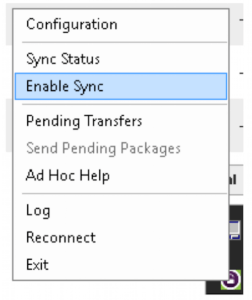
Be aware that if for any reason you have lost connectivity to the MOVEit server, the MOVEit Sync will have become disabled; you can re-enable it from the MOVEit Connector tray icon.
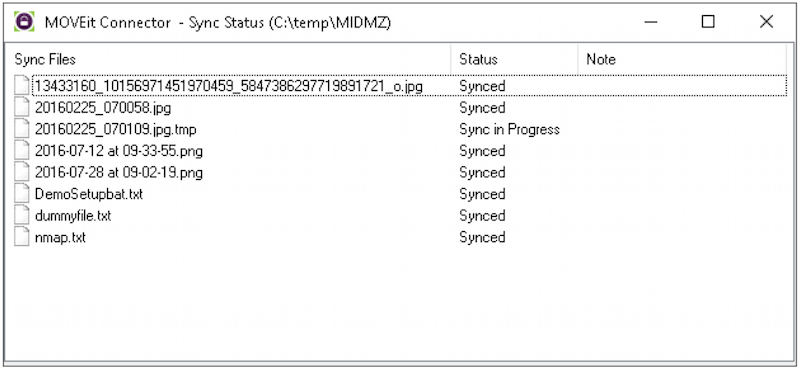
You can also check the status of synchronised files, to check the current status of any transfers currently in progress. Be aware that the status window does not differentiate between synchronisations to and from the MOVEit server.