
by Richard Auger on September, 2025
The idea for this article came about when our Principal Technical Consultant, Richard Auger, was asked by a major UK retailer in the Grocery and Food sector whether it was possible to automate the sending of files using the GoAnywhere SecureMail process. This differs from the normal approach of automating the sending of emails because the SecureMail process is tied to a GoAnywhere user, and consequently is not normally associated with batch jobs.
However, the good news is that it's possible to send a SecureMail using REST API and in this blog, Richard explains exactly how to do it - breaking the process down into a three part procedure:
-
Create a package
-
Add attachments
-
Send the SecureMail
Each step requires a specific URI to be used to complete the process – ‘createPackageWithOptions’, ‘attachLocalFileToPackage’ and ‘sendPackage’.
The package creation is a REST POST and returns the unique PackageID associated with this SecureMail. This step requires a number of parameters which can be passed to it in the form of an XML document. The second step, adding attachments, is a REST Multipart POST, which requires both the file and PackageID to be passed to it. Finally, the final step is sending the SecureMail itself, is another REST POST that simply requires the PackageID as a parameter.
Before starting to build the project, a REST resource needs to be configured. The URL is simply the server HTTPS address, and the authentication tab should be configured with a web user who has permission to send SecureMail and an assigned email address. Once these settings are in place, to test that it works use the URI pwd when prompted.
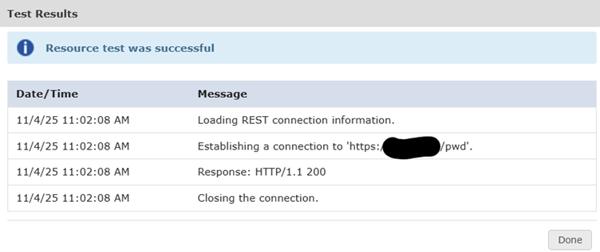
The Process of Sending a SecureMail using REST API
The following is the project that was built to perform the whole process.
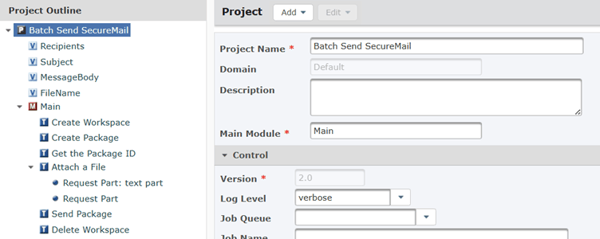
It starts by setting some straightforward variables, (the Recipients is a comma delimited list), before creating a workspace, which is necessary for retrieving the ID of the package once it's created.
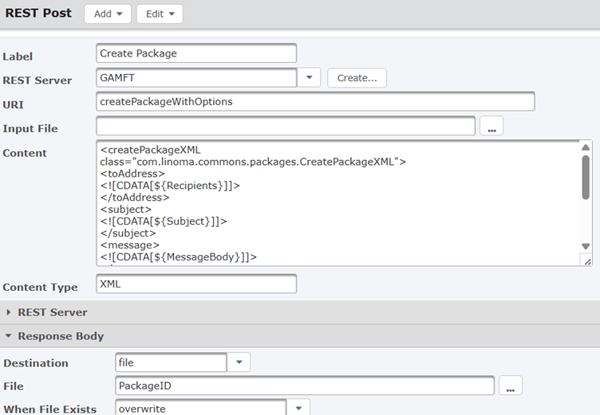
The parameters used in this particular project's content section are as follows:
| toAddress | Recipients |
| subject | Email subject |
| message | Body of the SecureMail |
| protectionLevel | Selected ‘password’ for this |
| passwordGeneration | Automatic, but if you specify manual you must provide it |
| expiresAfter | How long the securemail is valid for |
| maxDownloads | How many time the SecureMail may be accessed |
| replyAllowed | Whether to allow a response (maybe not good in batch!) |
| readReceipt | Require a receipt or not |
| includePassword | Needed if automatically generating a password |
The next step in the process is to retrieve the PackageID. This is a simple ‘Set Variable’ task which reads the file generated in the previous step.
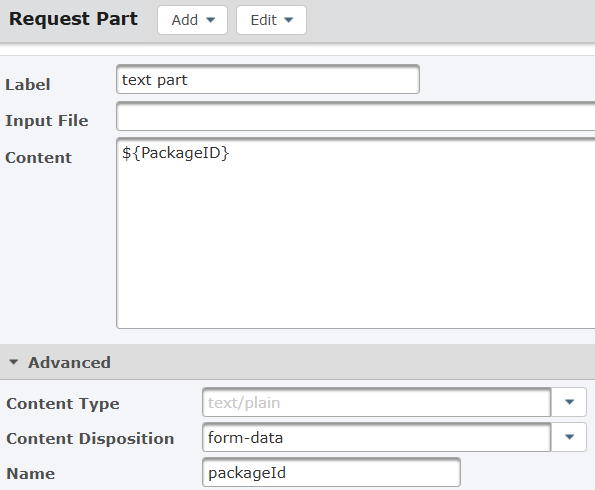
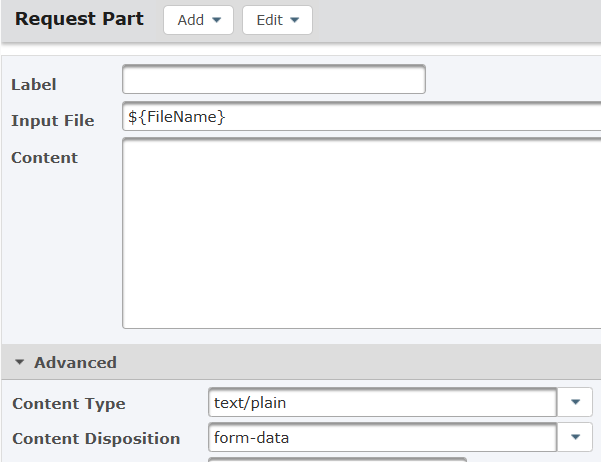
The following step is the REST Multipart POST, which can be the most challenging part of the project. In this example, this request used multipart/form-data:
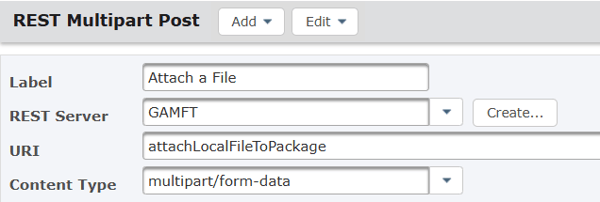
It includes two parts - one for the PackageID and one for the file to be attached.
 |
 |
Once the attachment has been added, it's a simple matter of sending the package.
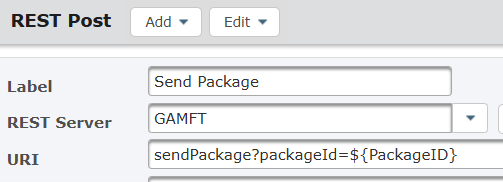
After the SecureMail has been sent, the workspace can be deleted, and at this point, the job is complete.
This article demonstrates how to automate the sending of SecureMail in a batch process using GoAnywhere Managed File Transfer, covering the complete project from creating a package and adding attachments to sending the SecureMail and cleaning up the workspace.
While this example stemmed from a retail use case, the approach is applicable across industries, including utilities, logistics, finance, and healthcare, where secure, automated file delivery is essential. For organisations seeking guidance, our team - backed by over two decades of secure file transfer expertise - is ready to help implement and optimise these automated processes for you. Get in touch today.