The latest version of MOVEit Transfer and Automation has been released: version 2026.0 (also known as 18.0).
MOVEit Transfer
First, some security changes. It's worth noting that Transfer now uses OpenSSL 3, which simplifies enforcement of FIPS-validated algorithms. Another change is that organisations now have the option to present users with a cookie consent banner, complete with associated help information and URLs that can be populated as required.
AV/DLP scanning details have now been delegated to organisations instead of being limited to system administrators, although we're still not at the point of being able to configure ICAP details at the organisation level. This would be particularly useful for multi-tenant environments such as MOVEit Cloud.
For customers using MOVEit WAF in conjunction with Transfer, the integration has also been improved to allow synchronisation of TLS certificates used in Transfer to the WAF.
Creating shareable folder links in MOVEit
You can now create shareable links on a per-folder basis, allowing end users to share files with their trading partners.
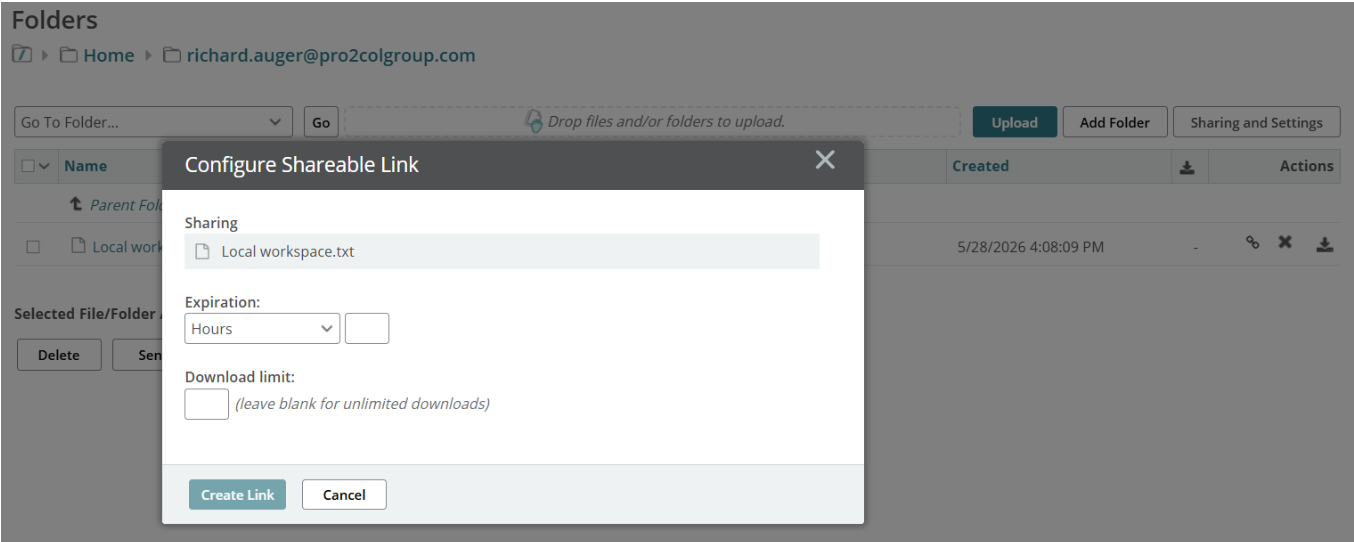
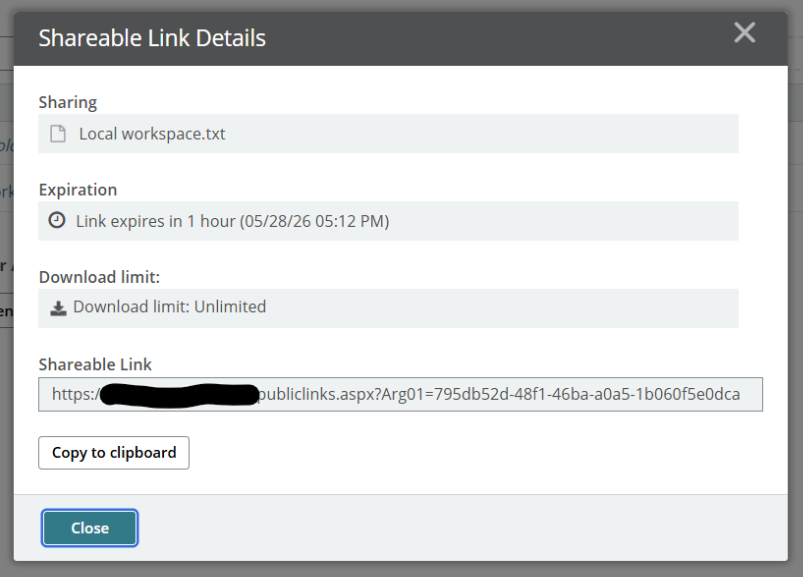
You can then take the generated link and share it as needed. Recipients download the file anonymously, so some thought should clearly go into how this feature is used within your organisation.
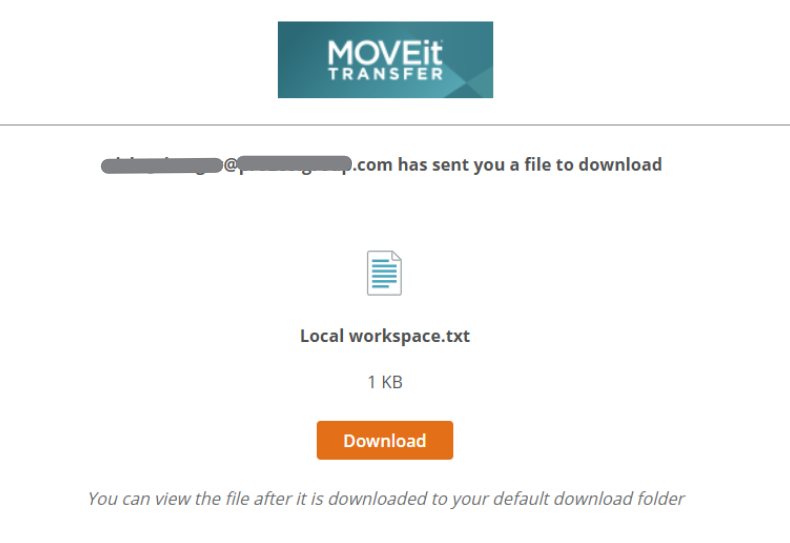
The creation of the link and the downloaded file are both logged as expected.
MOVEit report generation using AI
The biggest draw in this release, however, is the introduction of AI into report generation.
This feature is still in beta and is enabled through a simple change to back-end configuration files. Once configured, an OpenAI or Azure OpenAI deployment can be added, allowing administrators to begin generating custom reports using AI almost immediately.
A particularly useful aspect of this feature is the ability to save the report and execute it whenever needed without having to interact with AI again, meaning no additional token spend once the report has been created.
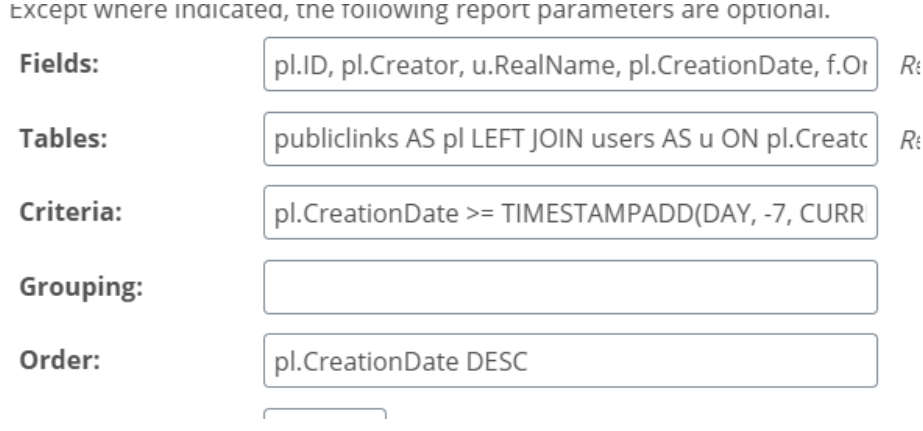
From a consultancy perspective, Pro2col is occasionally asked to assist with building custom reports. This new capability simplifies the process for both our consultants and internal customer teams. In testing, the report below was generated in a matter of minutes and executed successfully.
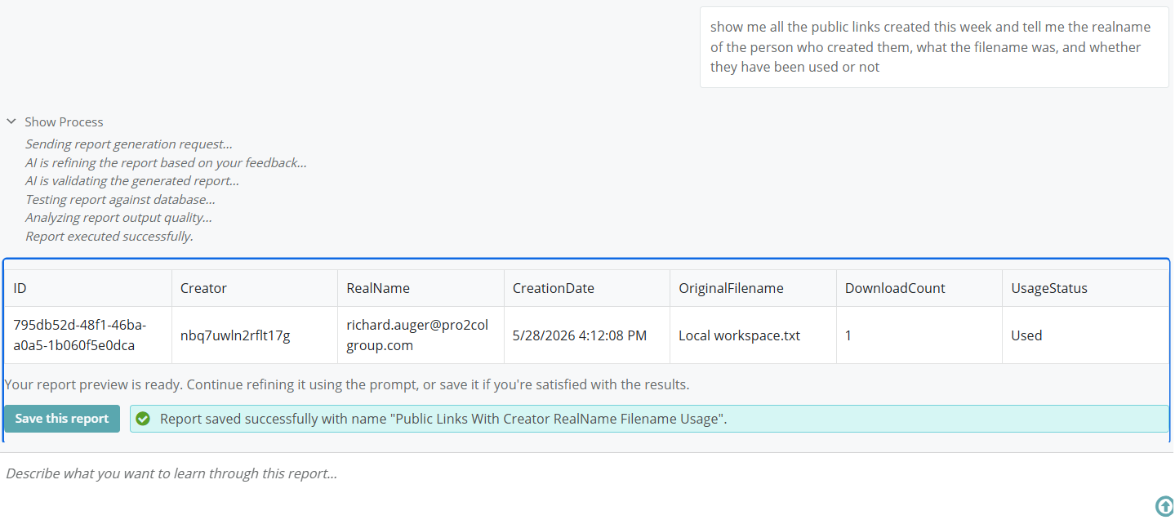
By saving the report, it's also possible to view the query that was generated, which in this instance joined three separate tables.
Finally, reporting for ad hoc transfers has been improved to provide log entries for each individual recipient of a package.
MOVEit Automation
There are, sadly, fewer changes in Automation when compared to Transfer, but there are still a few welcome additions.
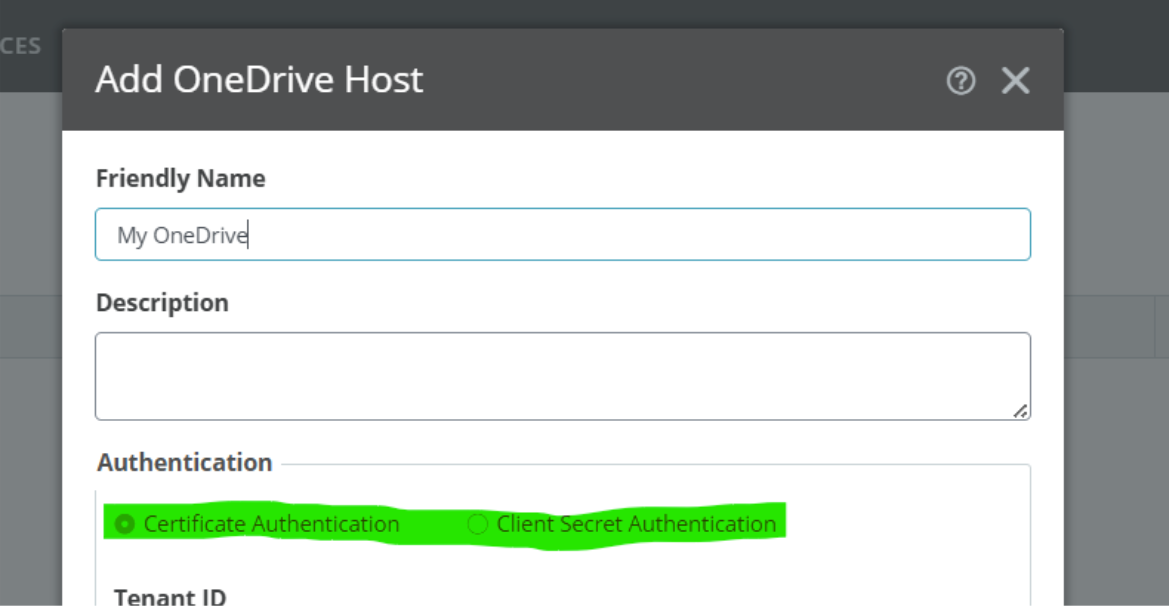
A new host type has been introduced, bringing OneDrive support to MOVEit Automation along with multiple authentication methods.
On the subject of authentication, AWS S3 has also received additional authentication options, including support for AWS configuration files and EC2 instance roles.
For those unfamiliar with instance roles, Automation no longer stores credentials directly. Instead, credentials are retrieved at runtime, a feature that is likely to prove popular with security teams.
There has also been some performance optimisation work carried out on the web administration console, improving the handling of larger numbers of tasks and providing better session persistence during network interruptions.
Finally, just as in Transfer, Automation now uses the OpenSSL 3 cryptographic library.
Need help upgrading to the latest version of MOVEit?
One of our most common support tickets from customers is when their upgrade doesn’t go to plan. Our team have carried out thousands of upgrades over the years and have even been known to identify and fix upgrade problems before the support team at Progress.
We can provide a safe pair of hands to ensure your upgrade goes smoothly. Just head to the contact us page if you’d like to talk to one of our team about supporting your next MOVEit upgrade.
|
About the Author |
|
 |
Richard Auger is the Principal Technical Consultant at Pro2col, and has been working in the field of file transfer and middleware for around twenty years. He’s currently Pro2col’s lead Technical Consultant helping clients get the most out of their MFT solution. One of the reasons why Richard loves tech is his curious nature. Tech is constantly evolving, so he is always trying the latest tech releases and testing their limits. |